Is WPFlow a WordPress maintenance service?
No. WPFlow is self-serve software for making changes safely; GoWP is a human maintenance and edits service.
Compare
WPFlow is self-serve software for changing a WordPress site safely: you describe the work, it is built on a staging copy, and nothing goes live until you approve it. GoWP is different - it is a human, white-label service for agencies, selling maintenance, a content-edit help desk, and dedicated people you add to your team. The biggest difference is control: WPFlow gives you staging and approval on every change; GoWP gives you people to do the work.
We checked GoWP's public homepage, pricing, and service pages on 11 June 2026 (prices in USD). GoWP's review presence was thin in public sources, so we do not claim a complaint pattern. WPFlow details reflect its live product and pricing.
| WPFlow | GoWP | |
|---|---|---|
| Starting price | WPFlowFree; paid from £20/€23/$25; Pro £79/€89/$99 | GoWP$39/site maintenance; $99/site content edits; dedicated developer from $1,299/mo |
| Billing model | WPFlowMonthly plans plus pay-as-you-go credits | GoWPMonthly, per site or per dedicated person |
| What you are paying for | WPFlowSoftware to change one site safely | GoWPHuman maintenance, a help desk, or an embedded person |
| Builds on a staging copy | WPFlowYes, always | GoWPNot the default workflow |
| Approve before it goes live | WPFlowYes | GoWPNo approval gate described |
| One-click rollback / version history | WPFlowYes (version history on Pro and Custom) | GoWPBackups included; no per-change rollback |
| Who does the work | WPFlowWPFlow's software | GoWPGoWP's team and dedicated "Pros" |
| Self-serve software or human service | WPFlowSelf-serve software | GoWPHuman service |
| Typical turnaround | WPFlowMinutes for simple changes; you review on staging | GoWPContent edits usually within 8 hours; maintenance in weekday hours |
| White-label option | WPFlowCustom / Enterprise | GoWPYes - built for agencies, with volume discounts |
| WooCommerce support | WPFlowYes | GoWPYes (product edits; development on dedicated plans) |
| Can you keep your current host | WPFlowYes | GoWPYes |
| Contract or lock-in | WPFlowNo long contract; cancel anytime | GoWPMonthly; cancel anytime (notice terms not public) |
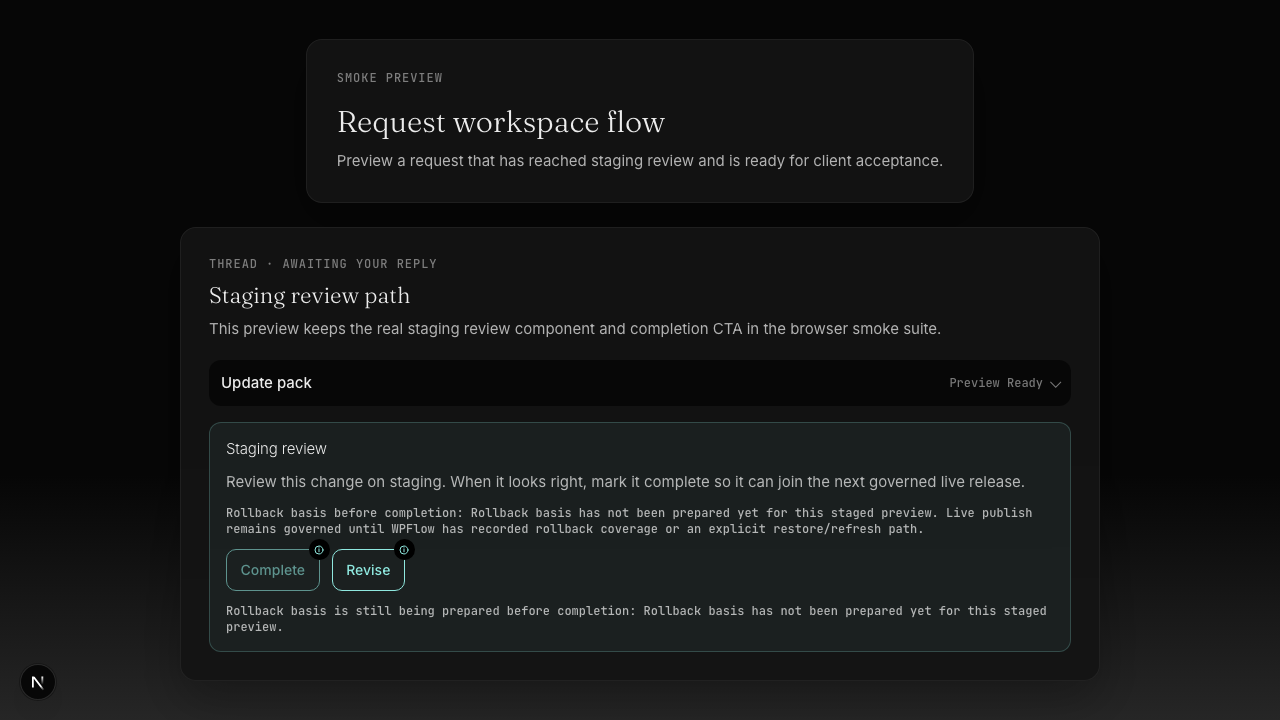
With GoWP you submit a request and a person completes it for you. With WPFlow the software scopes the request, builds it on a staging copy, and waits for your approval before anything goes live. GoWP's content-edit desk is fast and friendly, but it is service-request based, not a governed release you control. If your worry is who is touching the live site and when, that difference matters more than price.
GoWP's maintenance is $39 per site per month and its content-edit desk is $99 per site per month, with "unlimited" edits scoped to jobs of about 30 minutes; bigger work is quoted. A dedicated developer starts at $1,299 per month. So the real cost depends on whether you need light care or real human capacity. WPFlow starts free and moves into monthly software plans with credits, so you are buying a workflow for one site rather than people by the hour or by the seat.
GoWP's own testimonials praise responsiveness, white-label ease, and feeling like an extension of the team. Independent review evidence was thin in public sources when we checked, so we will not claim a complaint pattern either way. Read GoWP's edit-scope rules before you buy, since "unlimited" is bounded by the 30-minute rule.
Start WPFlow on one site and keep your current host. Run a few routine changes through staging and approval first, so you can see the workflow before you move anything else. There is no need to switch everything at once.
No. WPFlow is self-serve software for making changes safely; GoWP is a human maintenance and edits service.
Yes, with both. WPFlow sits on top of your existing setup.
Yes - product, price and page changes, built on staging first.
WPFlow is priced like software (free to start, then monthly plans with credits). GoWP is priced like a service (per site, or per dedicated person from $1,299/mo).
For routine WordPress changes, yes. For a full-time embedded human across many sites or non-WordPress work, GoWP's dedicated model fits better.
That is GoWP's strength today. WPFlow covers agency and multi-site needs on Custom.
Next step
Start free, keep your host, and approve every change before it goes live.
No card needed. One site. Staging-first.